
Product
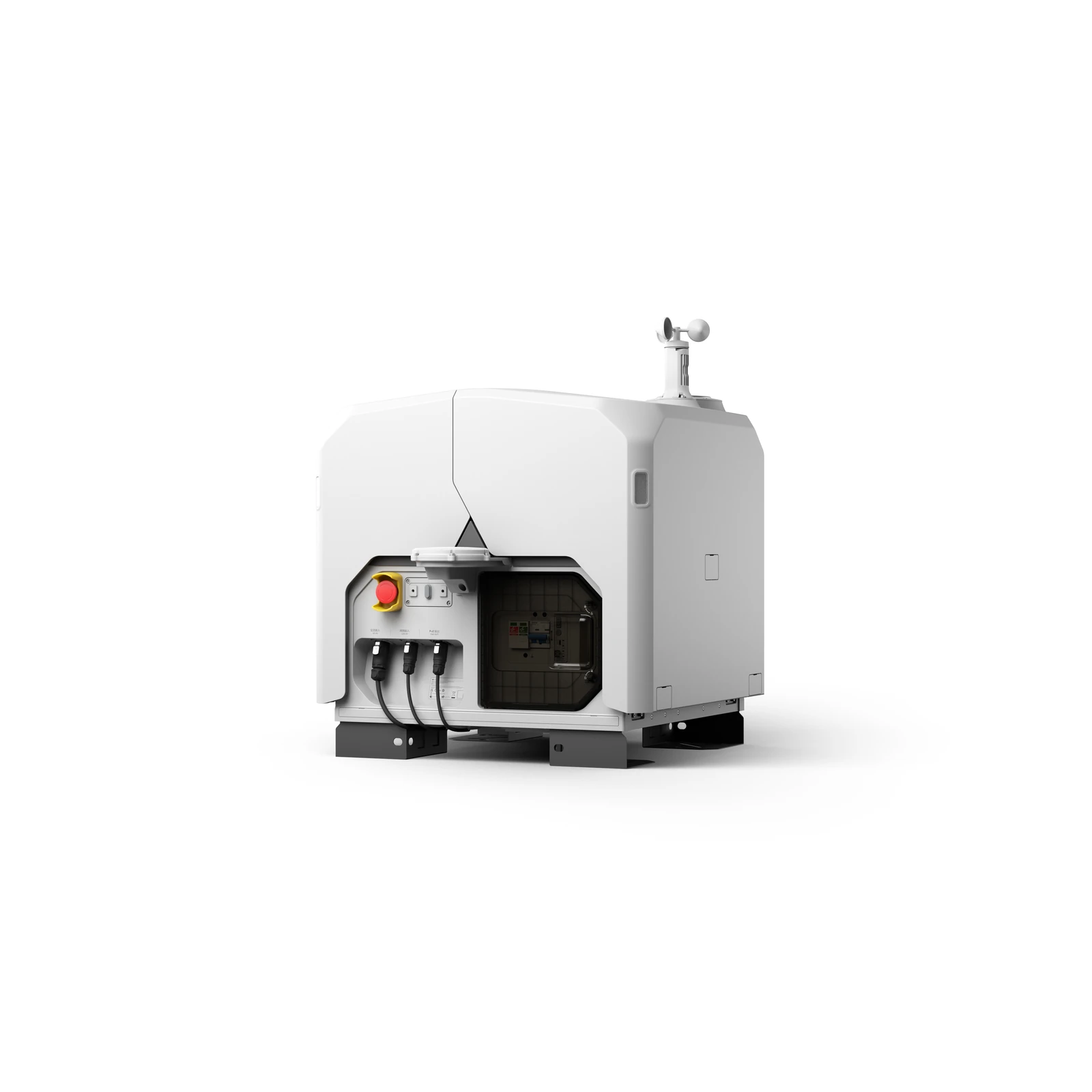
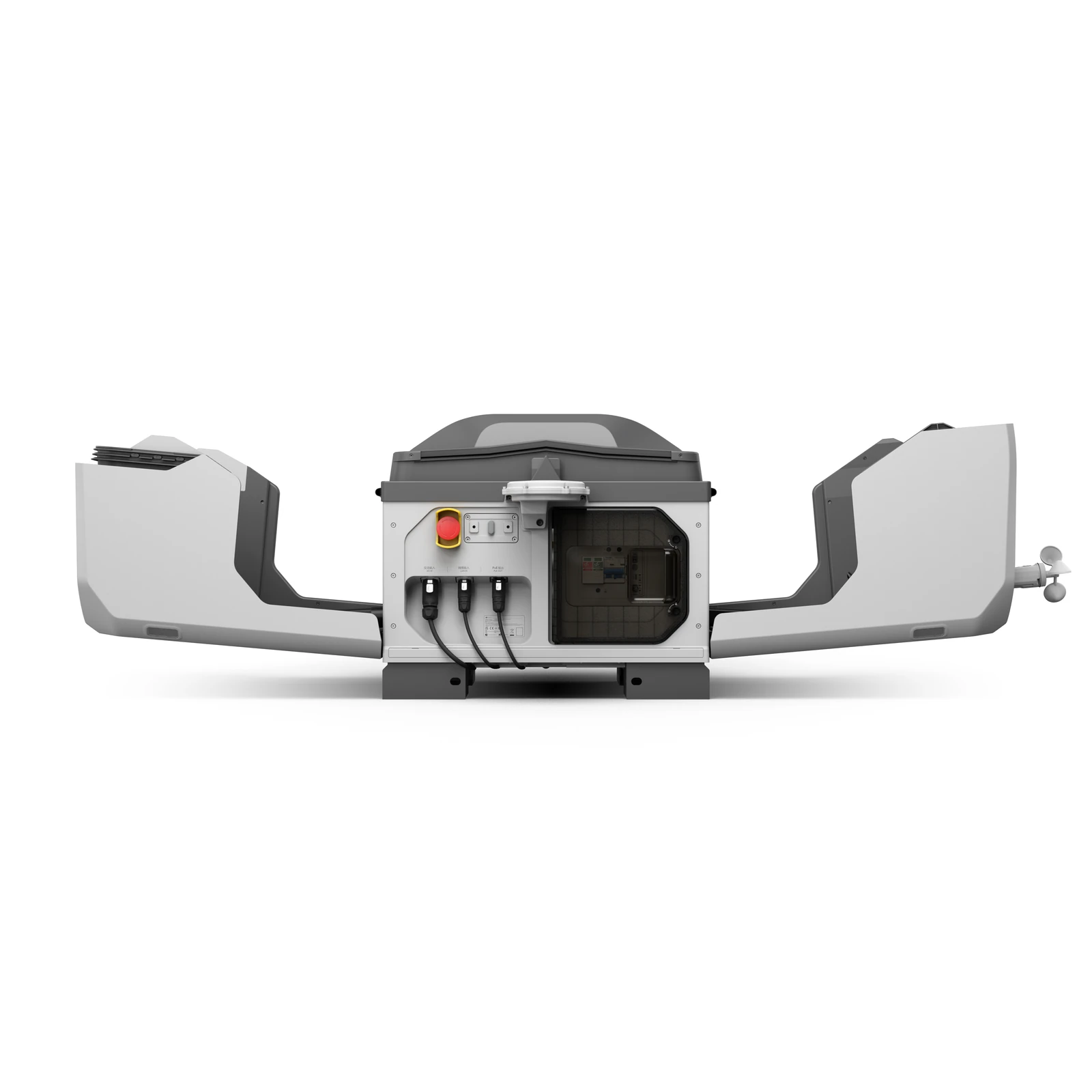
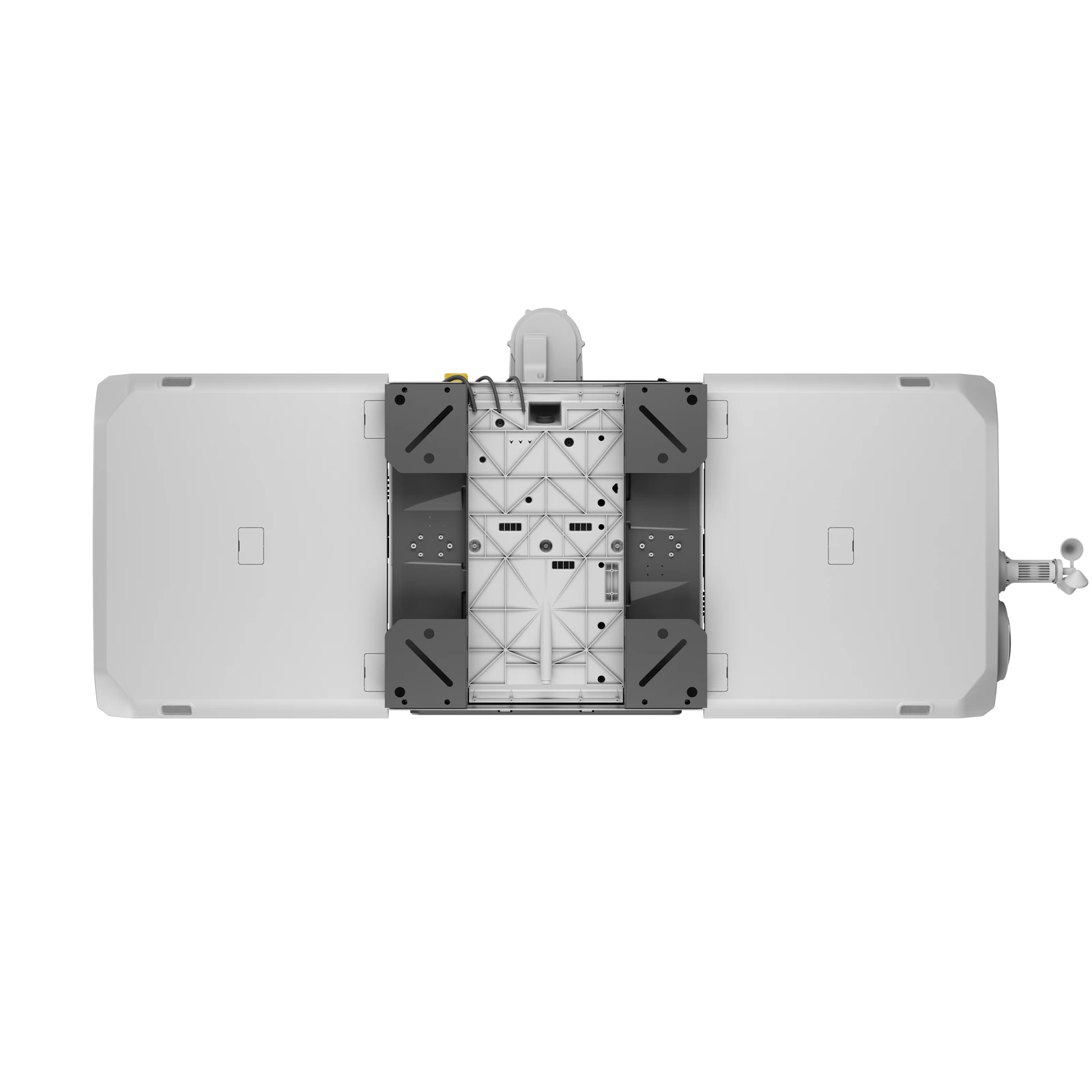
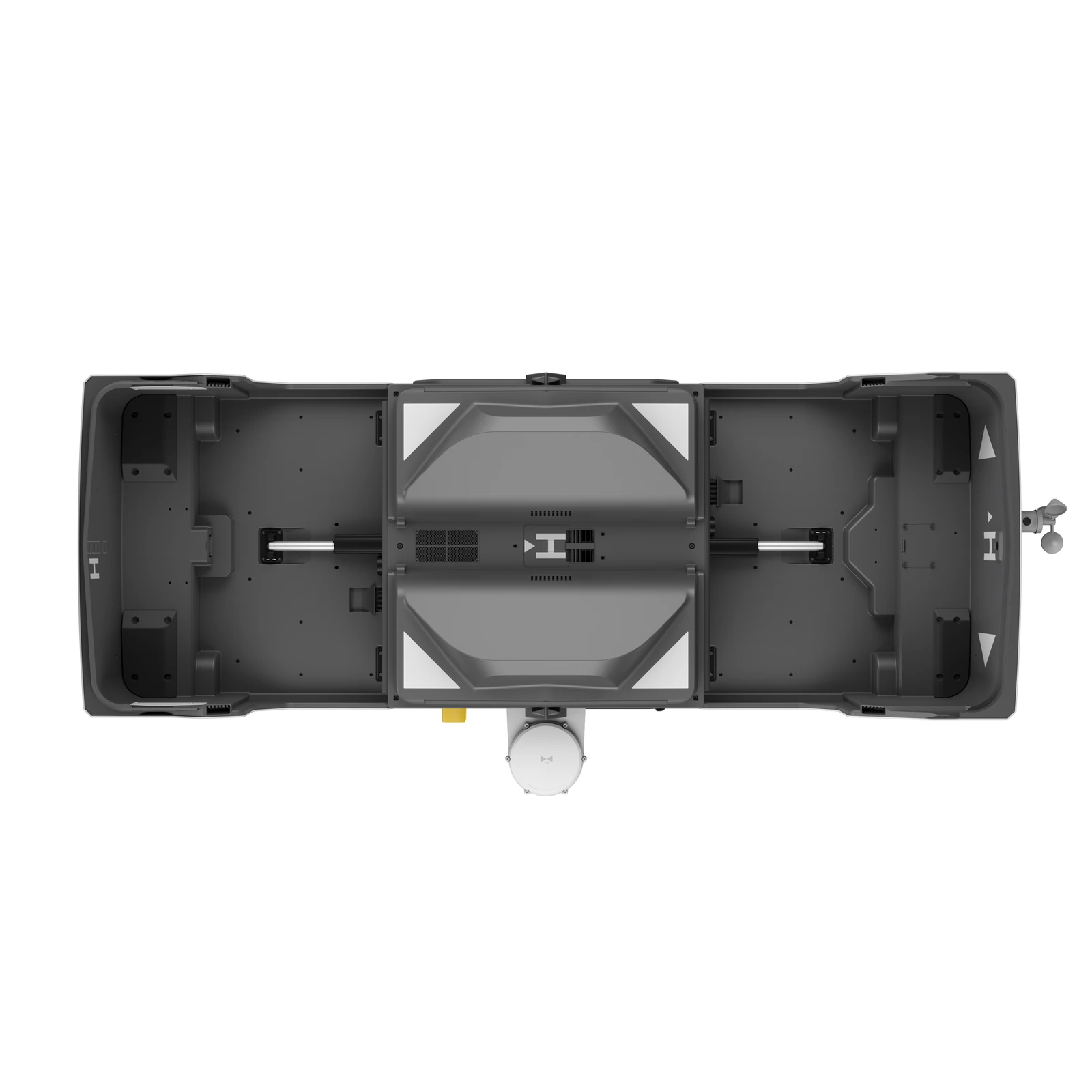
DJI Dock 3 Box Only
DJI · AIQ-0059
IP56 protection, automated aircraft charging and support for both fixed and vehicle-mounted deployment, combined in a rugged docking station built for remote and repeatable drone operations. DJI Dock 3 connects with DJI FlightHub 2 and is compatible with the Matrice 4D and Matrice 4TD, providing the foundation for automated inspection, monitoring, mapping and site-management programmes without requiring a pilot to travel to site for every mission.
- Drones accommodated1
- Charging time27 min
- Ingress protectionIP56
- Max landing wind speed12 m/s
- Backup battery life> 4 h
Overview
About this product.
The DJI Dock 3 is an automated drone docking station designed to keep an aircraft permanently deployed in the field while missions are planned, launched and managed remotely. Through DJI FlightHub 2, operators can schedule repeatable flight routes, access live views and receive captured data without needing to physically attend the site for each operation. This makes Dock 3 particularly suited to locations requiring regular inspections, mapping, monitoring or ongoing aerial oversight.
This box-only configuration provides the DJI Dock 3 without an aircraft, giving organisations the flexibility to pair it with a compatible Matrice 4D Series drone separately. The Matrice 4D is focused on precision mapping and detailed visual inspection, while the Matrice 4TD adds thermal and low-light capabilities for inspection, asset management and public-safety applications.
Designed for long-term deployment, Dock 3 combines a rugged IP56 enclosure with automated aircraft charging, intelligent remote-management tools and flexible installation options. It can be used as a traditional fixed drone-in-a-box installation or configured for vehicle-mounted deployment, allowing the same platform to support permanent monitoring programmes as well as mobile and temporary operations.
Compatible Matrice 4D Series Drones
Dock 3 is designed to operate with both the DJI Matrice 4D and DJI Matrice 4TD, allowing the aircraft to be selected around the data required from each deployment. The Matrice 4D provides a 20MP 4/3 CMOS mechanical-shutter camera alongside medium telephoto, telephoto and laser-ranging capabilities for mapping and visual inspection, while the Matrice 4TD combines wide, medium tele and tele cameras with thermal imaging and NIR illumination for inspection and monitoring applications.
Choosing the Dock 3 box-only configuration allows the docking infrastructure and aircraft to be purchased or configured separately while retaining access to the same automated DJI FlightHub 2 workflow.
Rugged and Reliable Remote Deployment
- IP56 Protection: DJI Dock 3 is IP56 rated, with protected internal electronic components designed for long-term installation in demanding outdoor environments.
- Automated Aircraft Charging: Dock 3 supports automated charging of a connected Matrice 4D Series aircraft, helping keep the drone ready for its next scheduled or remotely initiated mission.
- Built for Changing Conditions: The Dock is designed to continue automated operations across a wide range of environmental conditions, supporting dependable long-term field deployment.
- Fixed or Mobile Deployment: Dock 3 supports both permanent fixed installations and vehicle-mounted configurations, expanding the system beyond traditional stationary drone-in-a-box deployments.
- Smartphone Deployment: The DJI Enterprise app can be used with a compatible Android device to simplify Dock 3 deployment and commissioning in the field.
Automated Operations with DJI FlightHub 2
- Automated Flight Routes: Create repeatable missions for inspection, monitoring and other recurring applications, allowing compatible Matrice 4D Series aircraft to automatically capture data along predefined routes.
- Intelligent Change Detection: DJI FlightHub 2 can compare information collected during repeated missions to help identify changes at a site over time.
- Virtual Cockpit: Remotely control the aircraft through FlightHub 2, including Mouselook functionality that allows operators to select a point of interest and automatically centre the aircraft and gimbal view on the subject.
- Smart Track: Compatible Matrice 4D Series aircraft can automatically zoom and maintain visibility of moving subjects such as vehicles and vessels.
- Low-Latency Live View: FlightHub 2 provides a responsive live video feed for real-time remote monitoring and decision-making.
- Transmit While Flying: Data can be transmitted during flight, with transfer completed after landing and cloud-based rough modelling available for faster access to site information.
Fixed and Mobile Deployment Options
- DJI O4 Ground Station Support: An optional DJI O4 Ground Station can be installed separately from the Dock to improve transmission performance and provide greater flexibility when selecting the installation location.
- Gateway Mode: With the appropriate configuration, the DJI O4 Ground Station can extend coverage for Dock 3 operations, supporting deployments where the Dock itself cannot be positioned in the ideal communications location.
- Relay Mode: Elevated positioning of the O4 Ground Station can help maintain video transmission where buildings, network limitations or other obstructions affect the direct connection.
- High-Rise and Infrastructure Deployment: The Ground Station can be positioned on rooftops or communication towers to improve signal quality when Dock 3 is installed near high-rise buildings, substations or other complex infrastructure.
- Vehicle-Mounted Deployment: Dock 3 is DJI's first Dock designed to support vehicle-mounted use, providing a mobile option for temporary operations, emergency response and long-distance inspection work.
- Cloud-Based Dock Location Calibration: During mobile deployments, operators can set the Dock's location and assign missions remotely through DJI FlightHub 2.
- Dual-Dock Deployment: Two Dock 3 units can be installed on a single vehicle, using a dedicated take-over pattern to coordinate operations and help prevent aircraft conflicts.
- Dual-Drone Rotation: Compatible dual-Dock deployments can alternate between aircraft to support continuous transmission of real-time aerial imagery.
Data Security and Enterprise Management
- Custom Permission Management: DJI FlightHub 2 allows organisations to configure user permissions around operational requirements, helping control who can access specific functionality and information.
- ISO 27001-Certified FlightHub 2: FlightHub 2 is ISO 27001 certified, supporting organisations with information-security and data-management requirements.
- AWS Cloud Infrastructure: Data uploaded, stored and managed through FlightHub 2 is hosted using Amazon Web Services cloud infrastructure, which is also ISO/IEC 27001 certified.
- Private 4G Deployment: 4G enhanced transmission can be privately deployed alongside an on-premises version of FlightHub 2, providing an additional option for organisations with specific communications and data-security requirements.
Integration and Open Ecosystem
- FlightHub Sync: DJI FlightHub 2 can connect with third-party cloud platforms, allowing operational information to move between systems and fit within existing enterprise workflows.
- Cloud API: DJI's Cloud API provides access to aircraft hardware, live video streams and captured imagery for integration into third-party platforms and operational systems.
- MSDK Support: Mobile SDK 5 provides developers with an open-source foundation for creating customised applications and workflows around the Matrice 4D Series.
- Third-Party Payload Support: Compatible Matrice 4D Series aircraft can use supported third-party payloads through E-Port and PSDK integration, with compatible devices able to be controlled remotely through FlightHub 2.
- DJI Terra API: Organisations can integrate DJI Terra mapping functionality into their own systems and automate 2D and 3D reconstruction workflows using data captured by the Matrice 4D.
Key capabilities
- Product Type: Automated remote drone docking station
- Compatible Aircraft: DJI Matrice 4D and DJI Matrice 4TD
- Protection Rating: IP56
- Remote Operations Platform: DJI FlightHub 2
- Deployment Options: Fixed installation and vehicle-mounted deployment
- Aircraft Management: Automated charging and remote mission deployment
- Remote Flight: Automated and repeatable mission planning
- Live Operations: Remote live view and Virtual Cockpit control
- Transmission Expansion: Compatible with DJI O4 Ground Station
- Enterprise Integration: FlightHub Sync, Cloud API and DJI Terra API support
Typical applications
Remote asset inspection, construction and project monitoring, surveying and mapping, energy and utility networks, infrastructure inspection, environmental monitoring, security, public safety, emergency response and other operations where aerial data needs to be collected repeatedly without sending a pilot to site for every flight. The DJI Dock 3 Box Only is particularly suited to organisations building an automated drone programme around an existing or separately purchased Matrice 4D or Matrice 4TD. By separating the Dock from the aircraft package, teams can configure the system around the camera capabilities and operational requirements of each deployment while retaining the same remote FlightHub 2-based workflow.
What you get
What’s in the box.
- DJI Dock 3 × 1
- Grounding Wire × 1
- Wind speed gauge × 1
- Power plug × 1
- Network plug × 2
- Power cable terminals × 6
- Screwdriver × 1
- Dual-headed USB-C Cable × 1
Technical data
Specifications.
| General | |
|---|---|
| Drones accommodated | 1 |
| Total weight (without aircraft) | 55 kg |
| Dimensions (opened) | 1760×745×485 mm |
| Input power | Max 800 W, 100–240 V AC |
| Charging | |
| Charging time (15→95%) | 27 min |
| Resilience | |
| Ingress protection | IP56 |
| Max landing wind speed | 12 m/s |
| Backup battery life | > 4 h |
| Operating temperature | -30 to 50 °C |
| Air conditioning | Compressor-based |
| Connectivity | |
| Network access | Gigabit Ethernet · 4G (Cellular Dongle 2) |
| Cloud platform | DJI FlightHub 2 / Cloud API |
Questions
Questions we’re asked.
The dock
What changed from Dock 2?
IP56; an operating range of -30°C to 50°C; O4+ Enterprise transmission; vehicle-mounted deployment; the D-RTK 3 Relay for more flexible siting; quick takeoff as soon as the cover opens; lower live-view latency; and better cooling and heating.
How soon can the aircraft fly again?
At 25°C, with the aircraft landing at 15%, the dock charges it to 95% in 27 minutes, the minimum interval between two operations. It does not swap batteries.
Which aircraft does it accept?
The Matrice 4D Series only. For site evaluation before installation, a Matrice 4D Series or Matrice 4 Series aircraft on the latest firmware.
Can one aircraft use several docks?
Yes, multi-dock tasks, except while the dock is linked to a D-RTK 3 Relay. Several aircraft in one dock, no.
What does installation need?
An open site with stable power and internet, at no more than 4,500 m. In service it operates in wind up to 12 m/s and rain up to 2 mm/h.
How does the climate control decide?
Cooling starts when the ambient passes 5°C and the aircraft battery 35°C, and stops when the battery drops below 30°C. Heating starts below 5°C ambient with the cabin and battery below 35°C, and stops when either passes 35°C. Firmware may refine the logic.
Edge computing and private 4G?
Edge computing, yes, with its own power and network connection. Private 4G enhanced transmission, yes, with the Cellular Dongle 2 sold separately. Availability varies by region.
What about the backup battery and landing accuracy?
The backup battery does not charge the aircraft. Precision landing uses RTK plus the visual markers on the landing pad and the inside of the cover.
Vehicle-mounted deployment
What does mounting on a vehicle require?
Compliance with local regulations; a base fixed securely to the vehicle bracket with the lock nuts tightened and a safety rope between dock and vehicle; the Vehicle-Mounted Gimbal Mount correctly installed; no force on the RTK module while loading; and the driving warning sticker on the dashboard. The Installation and Setup Manual has the procedure.
What are the rules in use?
Park on a slope under 3°, complete remote calibration in the cloud before operating, and keep the vehicle and dock still while the aircraft is up. Movement sends it to the alternate site. Mind height limits in garages, keep the cover closed while driving, and add two docks on one vehicle to the same project so their aircraft take off and land in order.
Talk to AeroIQ